Researched · manufacturer pages, manuals and third-party tests compared, not hands-on
As an Amazon Associate I earn from qualifying purchases. We may earn a commission when you buy through links on this page, at no extra cost to you. How that works.
The UPLIFT V3 is the best standing desk for dual monitors for most people. UPLIFT sells it with tops up to 80 in wide, counts the desktop inside its load rating, and two outside reviews found it steady at standing height. The trade-off: the keypad in the box stores no heights.
Whatever you buy, size the top first. Two 27-inch monitors are 47.1 in (120 cm) of panel side by side, so a 48 in top is the bare minimum and about 53 in (135 cm) leaves room for an arm clamp and your mouse hand.
Every pick below is a full standing desk with adjustable height, the best route for dual monitors if you’re replacing the desk itself. Keeping the desk you have? See converters for dual monitors instead.
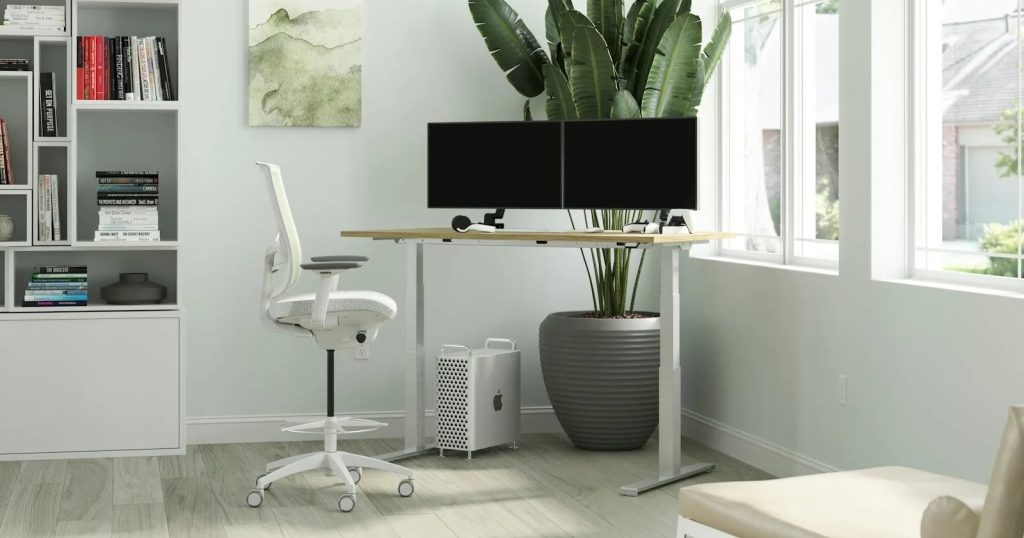
Verdict
Pick by your screens and gear. Two big screens on heavy arms plus a PC: the Autonomous Desk Pro AI. Screens pushed far back: the FlexiSpot E7 with its deep bamboo top. A third screen or paperwork beside the pair: the iMovR Lander Solid Wood.
Bamboo with outside reviews: the Jarvis. Hardwood on a four-leg frame: the FlexiSpot E7 Plus. A warranty that covers the motors for good: the Vari.
On price, the FlexiSpot E7 is the budget option before you add a top. The UPLIFT, Autonomous and Vari sit in the mid-range, and the Jarvis Bamboo is premium.
| Pick | Best for | Biggest top | Load | Motors | Where to buy |
|---|---|---|---|---|---|
| UPLIFT V3 | Best overall | 80 x 30 in | 355 lb, top included | 2 | Check price on Amazon |
| FlexiSpot E7 | Best deep top | 71 x 35 in bamboo | 355 lb | 2 | See at FlexiSpot |
| Autonomous Desk Pro AI | Best for heavy setups | 70.5 x 29 in | 450 lb | 2 | See at Autonomous |
| iMovR Lander Solid Wood | Best widest top | 83 x 30 in | 315 lb | 2 | See at iMovR |
| Jarvis Bamboo | Best bamboo top | 72 x 30 in | 350 lb | 2 | See at Herman Miller |
| Vari Electric 60×30 | Best warranty | 60 x 30 in | 200 lb | not listed | Check price on Amazon |
| FlexiSpot E7 Plus Solid Wood | Best solid wood top | 79 x 35 in | 440 lb, frame only | 2 | See at FlexiSpot |
Specs are the maker’s unless we say otherwise. Height ranges are in each pick’s Specs box, because two leave the desktop out and one doesn’t say.
On this page · 15
How wide should a standing desk be for two monitors?
Take the width of both panels and add about 6 in. That gives roughly 48 in for a pair of 24-inch screens, 53 in for a pair of 27s and 62 in (157 cm) for two 32-inch monitors.
The 6 in margin is our rule of thumb, not a maker figure or an ergonomics standard. It leaves about 3 in at each end for an arm’s clamp, the screens’ bezels and your mouse hand. Before you order, check where the clamp sits against your screens’ outer bezels.
Panel width comes from the diagonal: a 16:9 screen is about 0.872 times its diagonal wide, so you can work out any size or a mixed pair. Bezels add a little; stands don’t count once the screens go on an arm.

Makers sell set widths, so round up. Say you run two 27s and like the UPLIFT. Its sizes jump from 48 to 60 in (Tom’s Guide’s spec table, October 2025), so the 60 is your size. Our 60-inch standing desk comparison lines that width up across brands.
The table shows the width left once two screens sit side by side. A minus sign means the pair hangs over.
| Top width | Two 24 in screens | Two 27 in screens | Two 32 in screens |
|---|---|---|---|
| 48 in (122 cm) | 6.1 in | 0.9 in | −7.8 in |
| 55 in (140 cm) | 13.1 in | 7.9 in | −0.8 in |
| 60 in (152 cm) | 18.1 in | 12.9 in | 4.2 in |
| 72 in (183 cm) | 30.1 in | 24.9 in | 16.2 in |
| 80 in (203 cm) | 38.1 in | 32.9 in | 24.2 in |
Two 32-inch screens fit a 60 in top with about 4 in to spare, the smallest common size that takes them at all. If you want the full margin, that’s the next size up. A laptop beside the pair adds its own width, so measure it before you order.

Depth matters too. OSHA puts a comfortable viewing distance at 20 to 40 in (50 to 100 cm) (OSHA, monitors). Two screens angled in toward you eat more front-to-back room than one, so a deeper top lets you push them back and keep the keyboard in front.

What to check besides width
- How much weight two monitors put on the desk, and whether the rating counts the top. UPLIFT counts the desktop in its rating, FlexiSpot rates the E7 Plus frame alone, and the others don’t say. Say both screens sit at the Ergotron LX’s 25 lb-per-arm ceiling: that’s 50 lb (23 kg) before the arm, top and PC. Every rating here clears that; the top and a tower PC eat the margin.
- Wobble at standing height. Screens on an arm hang off the back edge, so sway shows at the top of the travel. Six picks list two motors; Vari gives no count. For motor-first shopping, our dual-motor desk picks compare load and lift speed.
- The arm clamp against the top. Ergotron lists the LX clamp for tops up to 2.4 in thick, and every top here with a stated thickness sits well inside that. Look under the back edge for a crossbar that could block the clamp; none of the makers list that gap.
- Whether the height range includes the top. Two picks print frame-only heights and one doesn’t say whether the top is included. Add your top’s thickness, then compare the range with your standing elbow height, the height CCOHS gives for a standing work surface (CCOHS, sit-stand desks). Stand in your work shoes, bend your elbows to 90 degrees and measure from the floor to your forearm. Our standing desk height calculator estimates it if you can’t measure.
- Anti-collision and clearance. Five picks list a collision sensor, Vari has a drop-stop sensor, and the Jarvis has a setting in the handset menu. A sensor reacts only after contact, so still check the shelf above, the wall behind the screens and enough cable slack for the full travel.
- Warranty by part, returns and assembly. Frame, motors and top often carry different terms. Returns run from free pickup to a restocking fee, and one hardwood top can’t go back at all. Several makers call for two people to build.


How we picked these seven
Every desk here had to clear five bars. The maker sells a top at least 60 in wide and rates the exact model for 200 lb or more. It lists two motors or has a named review that found it steady. Warranty and return terms are in writing, and it’s still on sale. Each one then had to be the strongest fit for one buyer need.
Picks are researched, none were tested hands-on (how we research). An outside review counts only when it names the outlet and the exact model. Popular desks that missed a bar are under Desks we ruled out.

Best overall: UPLIFT V3
Buy the UPLIFT V3 if you want one desk that handles any common pair, from two 24s to two 32-inch screens. It’s also the one pick whose maker counts the desktop in the load rating.
Say you put two 27s on an arm on the 60 x 30 in top; the 24 in deep version leaves less room behind the keyboard. The rating already counts the top, so its weight is the only one to look up. UPLIFT doesn’t print it per size: ask UPLIFT, or use the desktop weights by size in our weight capacity guide as a ballpark.
Now the height. At 6’2″ you’re inside UPLIFT’s stated 5’0″ to 6’3″ fit range, but near its end. Check your standing elbow height against the Specs box with our standing desk height calculator; taller than that, the Autonomous reaches higher.
Cult of Mac (September 19, 2025) called it steady with multiple monitors and rock solid at standing height, with a slight tremor only at the very top. That reviewer needed more than 90 minutes and a helper to build it.
Tom’s Guide (October 1, 2025) found it steadier than the V2 even fully raised, though on the smallest 42 in top. It measured a 54 dB peak against UPLIFT’s under-48 dB claim. Neither gives the distance or the load, so the two figures can’t be compared directly. If you adjust the desk during calls, plan on the louder figure.
Choose the keypad on purpose. The Basic keypad in the box has no presets, so you hold the button until the desk gets there. UPLIFT offers Advanced keypads as an option at checkout; the Comfort and USB versions store four heights, the Paddle and RGB two, worth it if you switch several times a day.
Pros
- Load rating includes the desktop
- One warranty term for the whole desk, top included
- UPLIFT pays return shipping within its 30-day trial (contiguous US)
Cons
- The included keypad has no presets; one-touch heights cost extra
- Louder in use than UPLIFT’s own noise figure
- A big jump between its two middle sizes
Specs
- Height:
22.6–48.7 inwith a 1 in top; frame alone 21.6–47.7 in - Load:
355 lb, desktop included - Motors: 2, 3-stage legs
- Tops: 42 to 80 in wide, 24 or 30 in deep; steps of 42, 48, 60, 72 and 80 in per Tom’s Guide’s spec table; frame spreads 41.3–72.2 in
- Speed: up to 2 in/s
- Noise: under 48 dB; Tom’s Guide measured a 54 dB peak
- Presets: none on the Basic keypad; 4 on the Advanced keypads
- Anti-collision: yes, stops and reverses
- Warranty: 15 years, one term for desktop, frame, motors and electronics
- Returns: 30-day trial, like-new in original packaging; UPLIFT pays return shipping from the contiguous US
- Assembly: ships in parts; no build time from UPLIFT
Source: UPLIFT 2-leg desk page, frame spec sheet, keypad guide and returns page. Sold in the US.
Skip it if
- Your screens, arms and PC are near the heavy end; the Autonomous rates far higher.
- You’ll move the desk between rooms: Cult of Mac found it heavy once built.
Check price on Amazon · See at UPLIFT
Best deep top: FlexiSpot E7
The FlexiSpot E7 suits anyone who sits far back from their screens. Its bamboo top comes 35 in deep, five inches past the usual 30, on a two-motor frame that lifts as fast as the UPLIFT’s.
Say you run two 32-inch monitors on an arm and like them near the far end of OSHA’s viewing range. On a standard-depth top the keyboard gets crowded; the extra depth gives the arm its own strip at the back. The 71 in bamboo width still clears that pair with room on both sides.
Check the name in the cart. FlexiSpot now sells this desk as the Premium Standing Desk (E7), and the same page carries the E7 Pro, a C-frame with a higher rating. There’s no outside review of the current E7 and no noise figure, so the UPLIFT is the safer bet if you want both.
The V3 and the E7 are near twins on motors and frame warranty; UPLIFT vs FlexiSpot compares them desk by desk.
Read the returns before you order. A like-new desk goes back within 30 days with no fees; one that isn’t like new costs 10% and you ship it.
Pros
- Deeper-than-usual bamboo top
- Keypad has a USB-C port and a child lock
- Many top materials and sizes on one frame
Cons
- No published noise figure
- Page and manual give slightly different load figures
- Easy to confuse with the E7 Pro on the same page
Specs
- Height:
22.8–48.4 in, frame only - Load:
355 lbstatic (page); 352 lb (manual) - Motors: 2; leg stages not listed
- Tops: 47.2–80 in wide; laminate up to 80 x 30 in, bamboo up to 71 x 35 in
- Speed: up to 2 in/s (manual)
- Noise: not listed
- Presets: 4 in the manual; the product page gives no count
- Anti-collision: yes, four sensitivity levels including off (manual)
- Warranty: 15 years frame, motors, electronics; tops 2 years (chipboard) or 5 years (solid wood, bamboo)
- Returns: 30 days; fees depend on condition
- Assembly: two-person build; Phillips screwdriver or drill needed, not included
Source: FlexiSpot E7 page, E7-V3-US manual and return policy. Sold in the US.
Skip it if
- You want an outside review before you buy; the UPLIFT has two.
- Your room can’t spare the extra depth behind the chair.
Best for heavy setups: Autonomous Desk Pro AI
The Autonomous Desk Pro AI is the one for heavy desks: two large screens on gas-spring arms, a tower PC and speakers. It’s rated for 95 lb more than the UPLIFT, and its height is measured to the worksurface, so the top is already counted.
Say your setup is two 32-inch monitors, a dual arm and a gaming PC on the desk. That’s the kind of stack where a 200 lb rating gets tight and this one doesn’t. It also reaches higher than any other pick, which suits users over six feet.
If the PC is the main reason for the desk, see our standing desks for gaming; the top pick there ships with a full-length cable tray.
Where it falls short is width. Its widest top, the Expanse, is narrower than every other pick’s widest except the Vari’s, though it still clears two 32s.
The same page sells the plain Desk Pro, a different frame with a lower rating, so make sure the listing says Pro AI. Free 30-day returns are on the product page; confirm they cover the Expanse top before you order.
Pros
- Room for heavy arms and a desktop PC
- Collision sensitivity you can tune or switch off
- Tallest reach of the seven, top included
Cons
- Slow lift: about 24 seconds bottom to top (estimate from the brand’s rated speed)
- Biggest top is narrower than most picks’
- The top carries a much shorter warranty than the frame
Specs
- Height:
24.25–53.5 in, floor to worksurface - Load:
450 lb - Motors: 2
- Tops: 53 x 29 in standard; 70.5 x 29 in Expanse
- Speed: 1.2 in/s
- Noise: under 30 dB
- Presets: 3 (assembly guide)
- Anti-collision: yes, sensitivity 0 (off) to 8
- Warranty: frame lifetime, top 2 years
- Returns: 30 days, free returns (product page)
- Assembly: 13 steps; flip it upright with two people
Source: Autonomous Desk Pro page and 2026 Desk Pro assembly guide. Sold in the US.
Skip it if
- You want a third screen or paper beside the pair; the iMovR and UPLIFT go wider.
- You switch heights many times a day and hate waiting.
Best widest top: iMovR Lander Solid Wood
The iMovR Lander Solid Wood is for people who need width past two screens: a third monitor, a laptop and a tablet, or two 32s with paperwork in front. Its longest hardwood top is 3 in wider than any other pick’s, and the frame arrives fixed to it, so you only add legs and feet.
Say you order the 83 in top for three monitors. iMovR lists that top with its frame at 77 lb (35 kg), and leaves out whether the 315 lb rating counts it. Plan as if it doesn’t: subtract the top, then add up screens, arms and anything else on the desk.
Ask which Lander you’re getting. iMovR’s pages carry specs for two generations: the Classic Lander lifts at up to 1.6 in/s, the Lander 2.0 at 3.2 in/s, and their height ranges differ slightly. iMovR doesn’t say which one ships, so plan on the slower Classic until it confirms.
Order with care, too. Each top is made to order, and both the product page and the guarantee page say a hardwood top can’t be returned once production starts. You get 24 hours to change or cancel.
Pros
- Widest top in this guide, in several hardwoods
- Frame comes attached to the top
- Lifetime warranty on the frame
Cons
- The wood top can’t be returned
- Made to order and shipped by freight, so it takes weeks
- Lower load rating than most picks
Specs
- Height: Classic Lander
22.75–48.75 inwith top; Lander 2.0 23–49.125 in to the surface (frame 21.875–48 in); which ships isn’t stated - Load:
315 lb(two-leg Lander) - Motors: 2
- Tops: solid hardwood 30 x 59 in to 30 x 83 in, 1.125 in thick; 24 in deep also offered
- Speed: up to 1.6 in/s (Classic Lander) or 3.2 in/s (Lander 2.0)
- Noise: not listed
- Presets: memory presets; count not listed
- Anti-collision: yes
- Warranty: 5 years top, lifetime frame, 10 years motors and electronics
- Returns: wood top not returnable once production starts; cancel within 24 hours
- Assembly: frame arrives on the top; you add feet and legs; freight delivery on a pallet
Source: iMovR Lander Solid Wood page, Lander laminate page (Classic heights) and guarantee page. Ships to the lower 48 US states.
Skip it if
- You’re not sure of the size yet; a desk with a return window, like the UPLIFT, is safer.
- You need the desk this month.
Best bamboo top: Jarvis Bamboo
The Jarvis Bamboo is for buyers who want bamboo under their screens and a desk reviewed at dual-monitor widths. Herman Miller now sells the Jarvis line that Fully started.
Laptop Mag tested it on the largest bamboo top and found it quick and quiet. Digital Trends (May 7, 2021) used the mid-size top and found it a little more wobbly as it rose.
Say you’re on the shorter side and two 24s sit low on an arm. The 3-stage low base drops further than the standard one, so seated height stays comfortable. Choose the programmable handset, too; the up/down version stores no heights.
Pros
- Bamboo tops in the widths two screens need
- A low height base for shorter users
- Rectangle or contour top
Cons
- Restocking charge on returns; original shipping not refunded
- Herman Miller doesn’t say whether the bamboo is solid
- Shorter frame warranty than the UPLIFT or FlexiSpot
Specs
- Height:
25.5–51 in(3-stage); 23–43.25 in (3-stage low); top not stated - Load:
350 lb - Motors: 2
- Tops: bamboo, 48, 60 or 72 in wide, 27 or 30 in deep, rectangle or contour; 0.75 in thick
- Speed: 1.5 in/s
- Noise: under 50 dB
- Presets: 4 on the programmable OLED handset; none on the up/down handset
- Anti-collision: not on Herman Miller’s page; Laptop Mag found a sensitivity setting in the handset menu
- Warranty: 7 years frame, motors and electrical; 5 years top
- Returns: report within 30 days; 10% restocking charge on most items
- Assembly: requires assembly; Laptop Mag took 48 min 20 s
Source: Herman Miller Jarvis Bamboo page and returns page. Sold in the US; EU and UK stores too.
Skip it if
- You might send it back; the restocking charge makes that costly.
- You need more width than its biggest top, say for two 32s plus a laptop.
Best warranty: Vari Electric ComfortEdge 60×30
The Vari Electric Standing Desk with ComfortEdge 60×30 suits a pair of 24s or 27s and a buyer who wants the desk covered for good. Vari’s lifetime warranty names surfaces, mechanical parts, motors and electrical components, for the original buyer.
Say you run two 27s on a light arm and keep the PC on the floor. The one size leaves about 6.5 in at each end, and the rating, the lowest here, is plenty for that. Add a tower and a heavy arm, though, and the Autonomous is the better match.
Both reviews tested the narrower 48×30 version on the same frame: TechRadar (April 17, 2024) called it stable with minimal wobble, and The Gadgeteer (February 26, 2024) found it super solid.
Pros
- Lifetime cover that includes the motors
- Vari arranges and pays for returns
- Height range includes the top
Cons
- Lowest load rating in this guide
- One top size only
- No motor count, speed or noise figure from Vari
Specs
- Height:
25–50.5 in, top included - Load:
200 lb - Motors: not listed
- Tops: 60 x 30 in only, 1.25 in thick
- Speed: not listed
- Noise: not listed
- Presets: 4
- Anti-collision: drop-stop sensor freezes motion when it detects items under the desk
- Warranty: lifetime, original buyer; surfaces, mechanical parts, motors and electrical components
- Returns: 30 days; Vari pays return shipping; open-box items excluded
- Assembly: pre-installed frame, slide-and-lock legs, tools included; no build time listed
Source: Vari 60×30 page, spec sheet, warranty policy and returns policy. Sold in the US.
Skip it if
- You run two 32s or plan to add a third screen.
- A desktop PC, speakers and a heavy arm all live on the desk.
Check price on Amazon · See at Vari
Best solid wood top: FlexiSpot E7 Plus Solid Wood
The E7 Plus is for people who want hardwood under two screens and a frame built for weight. Its four legs lift 440 lb, a figure FlexiSpot gives for the frame alone, and the cherry top is as deep as the E7’s bamboo.
It’s also the only pick reviewed with an actual dual-monitor load. CGMagazine ran it at full height with two 27-inch monitors and a laptop, on a bamboo top, and called it “rock-solid even when in motion.”
Say you order the 79 x 35 in cherry top. FlexiSpot lists its frame for desktops up to 78.7 in long, so confirm the fit with FlexiSpot first, and expect about eight weeks for cherry. The lift is slow too: about 26 seconds from bottom to top (estimate from the brand’s rated speed). Fine twice a day, tedious hourly.
Pros
- Four-leg frame with a high lift rating
- Deep solid wood tops in five species
- Free return shipping if like new
Cons
- Slow lift for a wide, heavy top
- Top thickness listed three ways
- The 79 in top is longer than the frame’s widest setting
Specs
- Height:
26–51.6 in, frame only - Load:
440 lblifting, 540 lb static, frame only - Motors: 2, four legs
- Tops: solid wood, 48 x 24 in acacia to 79 x 35 in cherry; 1, 1.57 or 1.75 in thick (the page disagrees)
- Speed: 1 in/s
- Noise: not listed
- Presets: 4
- Anti-collision: yes, four sensitivity levels (manual)
- Warranty: 15 years frame and electronics; 5 years solid wood desktop
- Returns: 30 days, continental US; 10% fee if not like new
- Assembly: about an hour alone, per CGMagazine
Source: FlexiSpot E7 Plus page, its user manual and shipping and returns policy. Ships to the 48 contiguous US states.
Skip it if
- You switch between sitting and standing many times a day; the Jarvis lifts half again as fast.
- You live outside the contiguous US.
Built-in mount or a separate monitor arm?
Plan on a separate clamp arm: none of these seven desks comes with a built-in dual monitor mount. A clamp arm rides with the desktop, so both screens keep the same height relative to the keyboard when you go from sitting to standing.
Say you’d rather skip the arm. A riser shelf moves with the desk too, with less adjustment. Our monitor arm roundup compares the options, and our dual monitor setup guide covers height, angle and cable length.
Measure before you buy
Measure both monitors across their outer edges, bezels included, and add the margin. Then add up both screens without stands, the arm, the top and any PC, and keep the total well under the rating.
Our space requirements guide covers the room around the desk.
Also considered
- Desky Dual Rubberwood: solid rubberwood up to 80 in wide with 30-day returns, but it lifts 330.7 lb to the E7 Plus’s 440 lb.
- Desktronic HomeOne 60×30 inch Standing Desk: two motors, 264.6 lb and free pickup returns, but its biggest top is 20 in narrower than the UPLIFT’s.
- FlexiSpot E7 Pro: 440 lb and tops as wide as the UPLIFT’s, but the Autonomous rates 10 lb more, and FlexiSpot doesn’t list whether its 50.6 in maximum includes the top.
Desks we ruled out
- FlexiSpot E7 Pro Plus: FlexiSpot no longer uses that name; the desk is now the E7 above.
- Herman Miller Jarvis Laminate: same frame as the Jarvis Bamboo, but Herman Miller doesn’t list its motor count.
- UPLIFT V2 Commercial: replaced by the V3.
- FlexiSpot E5: FlexiSpot names no top size, and the frame spreads only to 58.5 in.
- VIVO 60 in desk: one motor and 154 lb, per VIVO.
- FlexiSpot E6 Bamboo: no longer sold by that name; FlexiSpot’s bamboo top now comes on the E2, E7 or E7 Pro frame.
- SHW 55 and 62 in desks: the 55 in is too narrow, and no maker page gives the 62 in’s load or motors.
- FEZIBO 71 x 37 in: no maker page lists its load rating or warranty, so check the listing before you buy.
- FlexiSpot EN1: its one top leaves 0.9 in beside a pair of 27s.
- Branch Duo: 58 in at most, too narrow for two 32s with any margin.
FAQ
Is a 48-inch desk wide enough for two monitors?
For two 24s, yes, with about 6 in to spare. For two 27s it’s the bare minimum: the panels fit with under an inch left. Two 32s hang over the edges.
Is there a dual monitor standing desk with drawers or storage?
None of the seven has built-in drawers. Vari sells a desk drawer separately, and our desks with drawers guide covers models with storage built in.
Is there a mobile standing desk with a dual monitor mount?
Not among these. UPLIFT sells casters for the V3, and a clamp arm adds the mount. Our desks on wheels guide covers more.
Can a converter replace a standing desk for two monitors?
Yes, if your current desk is wide and sturdy enough. A converter sits on top and lifts both screens; see converters for dual monitors.
Can you wall-mount the monitors above a standing desk?
You can, but a wall mount stays put while the desktop moves, so screens set for standing sit too high when you sit. A wall arm with its own height adjustment works if you move it at every switch.
Data sources
- OSHA — Computer Workstations: Monitors
- Ergotron — LX Desk Mount LCD Arm dimensional sheet (DIM-LXWt), clamp and weight range
- Herman Miller Jarvis Laminate and FlexiSpot E5 category listing (ruled out)
What changed: November 7, 2026 — We added both iMovR Lander generations (1.6 or 3.2 in/s), a sizing example for every pick and price tiers in words.