Researched · maker pages, manuals and third-party tests compared, not hands-on
As an Amazon Associate I earn from qualifying purchases. We may earn a commission when you buy through links on this page, at no extra cost to you. How that works.
The FlexiSpot AlcoveRiser M7 is the best standing desk converter for a laptop. Its top lifts straight up instead of swinging toward you, and its tray takes a full-size keyboard and a mouse.
Before you buy any of them, budget for a separate keyboard. A laptop’s screen and keys are hinged together, so a converter can lift both but can’t pull them apart. Put the keys at elbow height and the screen ends up near your chest.
Running a big monitor rather than a laptop? Our main converter guide is built around screens.
Verdict
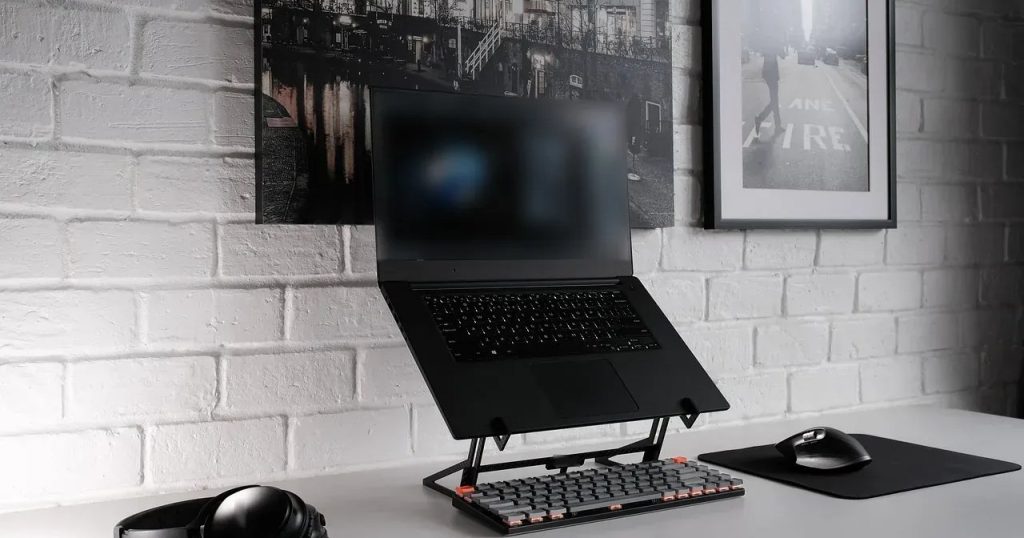
Most laptop users want a two-tier converter: laptop on the top, keyboard on the tray below. The M7 does that best. The VIVO K Series does it in six widths.
If you sit most of the day, a flat top that folds low keeps your keys near their old height. If a monitor is coming, buy the VIVO kit with arms now.
Measure your desk’s depth before anything else, then check it here. Shallower than the M7 needs? The V000U lists the smallest base. The Desky Zero has the smallest top, but ask Desky for its base size before you order.
| Pick | Base depth, or desk it needs |
|---|---|
| FlexiSpot M7 (28 in) | desk at least 25.6 in deep; base not published |
| VIVO K Series | not published |
| Branch Desk Riser | not published; whole unit 24 in deep |
| VIVO V000U | 14.8 in |
| Desky Zero | not published |
| VIVO VE36B2 kit | 16.5 in |
| Mount-It! MI-15009S | not published |
| Pick | Best for | Rise | Top (W x D) | Tray | Where to buy |
|---|---|---|---|---|---|
| FlexiSpot M7 (28 in) | Best overall | 4.7–20.1 in | 28.3 x 16.3 in | 28.3 x 12.2 in | See at FlexiSpot |
| VIVO K Series | Best range of sizes | 4.5–20 in | 31.5 x 15.7 in | 31.3 x 11.8 in | Check price on Amazon |
| Branch Desk Riser | Best single flat top | 2.5–16 in | 31 x 24 in | none | See at Branch |
| VIVO V000U | Best for sitting low | 1.8–16.2 in | 29.3 x 17.8 in | none | Check price on Amazon |
| Desky Zero | Best for a very small desk | 6.3–17.5 in | 23.6 x 15.7 in | 26 x 8.5 in | Check price on Amazon |
| VIVO VE36B2 kit | Best for a laptop plus a monitor | 5.7–19.5 in | 36 x 15.7 in | 36 x 12 in | Check price on Amazon |
| Mount-It! MI-15009S | Best for a lifetime warranty | 5.9–16.9 in | 30 x 19.5 in | 30 x 11.8 in | Check price on Amazon |
Rise is the height gained above your desk, lowest to highest, as each maker prints it. Branch includes its top and Desky leaves its board out; the rest don’t say.
On this page · 18
The laptop screen problem
OSHA wants your elbows at about keyboard height and the top line of the screen at or below eye level (OSHA eTool, keyboards; monitors). CCOHS puts a standing work surface “approximately at your standing elbow position.” On a laptop, those two targets sit a long way apart.
The table estimates how far the base of a 14 in laptop has to sit above your keyboard for the top of its screen to reach eye level. It uses the formula from our laptop stand guide, so treat it as an average-body estimate.
| Your height | Stand height for screen top at eyes |
|---|---|
| 5’2″ (157 cm) | 12.0 in |
| 5’5″ (165 cm) | 12.9 in |
| 5’8″ (173 cm) | 13.8 in |
| 5’11” (180 cm) | 14.7 in |
| 6’2″ (188 cm) | 15.6 in |
| 6’5″ (196 cm) | 16.6 in |
Say you’re 5’8″. The laptop needs to sit about 13.8 in above your keys. No converter maker publishes the gap between its tray and its top, so don’t count on a two-tier model to close it alone.
The converter gets the screen closer; a laptop stand on the top, or a monitor on an arm, finishes the job. OSHA allows the screen top slightly below eye level, so you don’t need the full figure.
The separate keyboard matters more than the stand. A NIOSH-listed 2002 study of notebook setups found the laptop-alone setup produced more fixed, non-neutral postures. It recommends an external mouse, or a mouse and keyboard, for long sessions. OSHA adds that small laptop keyboards “may also contribute to stressful postures.”
Our standing desk setup guide walks through the same checks for elbows, wrists and screen distance.
Tray or one flat top?
Go two-tier unless you have a reason not to. The laptop rides on the top and the keyboard sits on a tray below, so the screen starts out higher than the keys.
A single flat top, like the Branch or the VIVO V000U, puts everything at one height. It suits a laptop on a small stand with the keys in front, or someone who sits most of the day. It needs a deep top, which the next section measures.
Say your chair sits close to the desk edge. The M7 rises straight up on an X-lift, so the tray won’t reach into your lap on the way up.
VIVO, Branch, Desky and Mount-It! don’t publish a lift path. Raise yours once while it’s empty, with the chair pushed back, and watch where the top goes before you load the laptop.
Will a laptop and keyboard fit on the top?
Apple lists the MacBook Pro 16 at 9.77 in (24.8 cm) deep and its compact Magic Keyboard at 4.52 in (11.5 cm). Front to back on one surface, the pair needs 14.29 in (36.3 cm).
| Converter | Tray depth | Top depth | Room left |
|---|---|---|---|
| FlexiSpot M7 (28 in) | 12.2 in | 16.3 in | 6.53 in |
| VIVO K Series | 11.8 in | 15.7 in | 5.93 in |
| Desky Zero | 8.5 in | 15.7 in | 5.93 in |
| VIVO VE36B2 kit | 12 in | 15.7 in | 5.93 in |
| Mount-It! MI-15009S | 11.8 in | 19.5 in | 9.73 in |
| Branch Desk Riser | none, keys on top | 24 in | 9.71 in |
| VIVO V000U | none, keys on top | 17.8 in | 3.51 in |
Say you use a 15 in MacBook Air, 9.35 in deep, with the same keyboard. That’s 13.87 in front to back, which leaves 3.93 in on the V000U: enough for the keyboard edge, not for a laptop stand’s feet.
The trays are where it gets tight. The Desky tray leaves 3.98 in in front of Apple’s small keyboard for your wrists. The other trays leave 7.28 to 7.68 in. Apple’s keyboard with a number pad is 16.48 in wide, and every tray with a published size takes it with room for a mouse.

Check the desk underneath too, because the base needs room with space behind it. VIVO lists a base size for the V000U and the VE36B2 kit. FlexiSpot gives a minimum desk size for each M7 instead.
Branch, Desky, Mount-It! and the VIVO K list no base or desk size. Measure your desk and ask the maker before you order one of those for a shallow surface.

How much rise do you need?
For a 29 in (74 cm) desk, with standing elbow height estimated at 0.63 times your height (desk lower than that? add the difference to your row; higher? subtract it):
| Your height | Rise needed on a 29 in desk |
|---|---|
| 5’2″ (157 cm) | 10.1 in |
| 5’5″ (165 cm) | 12.0 in |
| 5’8″ (173 cm) | 13.8 in |
| 5’11” (180 cm) | 15.7 in |
| 6’2″ (188 cm) | 17.6 in |
| 6’5″ (196 cm) | 19.5 in |
For your own number, stand in your work shoes with elbows bent at a right angle. Measure floor to forearm, subtract your desk height, and compare the result with the Rise column in the quick table.
On a two-tier converter, the keyboard sits on the tray, below the top’s listed rise. Near the top of a model’s range? Pick one with room to spare. Our standing desk height calculator works from your own measurements.

How stable does it need to be for a laptop?
Load isn’t the problem; wobble is, and spec sheets don’t answer it. A MacBook Pro 16 and a compact keyboard weigh 5.23 lb (2.37 kg) by Apple’s figures.
Say you put them on the V000U, the lowest-rated pick at 22 lb: that still leaves about 16.8 lb for a phone, a lamp and a laptop stand. The trays with a published rating, 4 to 4.4 lb, carry a 0.53 lb keyboard easily.
TechRadar’s few months with the Branch is the only long test of a pick here, and it doesn’t mention wobble either. If shake worries you, Mount-It!’s 60-day free returns give you the longest window to find out.

How we picked these seven
Every converter here cleared four bars. It sits on the desk you already own, and it’s on sale now. Its maker also publishes the size of the top and any tray, plus the lowest and highest height.
Picks are researched, none were tested hands-on (how we research). Specs are the maker’s unless a line says otherwise; when a maker leaves one out, we don’t borrow a retailer’s figure. Models that cleared the bars but lost a slot are under Also considered.
Best overall: FlexiSpot AlcoveRiser M7
Buy the manual FlexiSpot AlcoveRiser M7 if you work from a laptop and want one box to solve it. It’s Wirecutter‘s top converter pick (updated June 2026), and it gets the laptop basics right.
The X-lift goes straight up, so the tray stays out of your lap. The tray takes a full-size keyboard and a mouse side by side, and the top holds a MacBook Pro 16 with room behind it. Get the 28 in size for a laptop alone; the 35 in leaves space for a monitor.
The trade-off: it needs a bigger desk than its top suggests. FlexiSpot doesn’t publish the base, but it asks for a desk at least 29.5 in wide and 25.6 in deep for this size. Say your desk is 24 in deep. The M7 is 1.6 in short, so look at the V000U or the Desky Zero instead.
Returns run 30 days, continental US only, with no fee if it’s like new and 10% if not.
Pros
- Straight-up lift, no reach toward the chair
- Tray takes a full keyboard and a mouse
- Highest top of the seven
Cons
- Needs a deeper desk than its top suggests
- Only the 28 and 35 in sizes on sale
- Returns limited to the continental US
Specs
- Rise:
4.7–20.1 in(12–51 cm); FlexiSpot doesn’t say if the top counts - Lowest:
4.7 in - Lift: manual gas spring, one hand
- Lift path: straight up (X-lift)
- Load:
37.4 lb(17 kg): 33 lb top + 4.4 lb tray - Top:
28.3 x 16.3 in(72 x 41 cm), 28 in model - Tray:
28.3 x 12.2 in(72 x 31 cm) - Base: not published; needs a desk at least 29.5 x 25.6 in
- Warranty: 5 years frame and desktop, 3 years gas spring
- Returns: 30 days, continental US; no fee if like new, 10% if not
- Assembly: fit the keyboard tray with a thumb screw
Source: FlexiSpot AlcoveRiser M7 product page, manual M27SB, warranty and shipping pages, viewed Oct 28 and Nov 1, 2026. Sold in the US.
Skip it if
- You want a motor: the electric EM7 is a different model with different numbers.
- You sit most of the day and want the keys low: the V000U folds lower.
Best range of sizes: VIVO K Series
The VIVO K Series is the pick when your desk decides the width for you. It comes in six widths from 25.6 to 48 in, all the same depth. Say you have 28 in of clear desk between a lamp and a wall: the narrowest K fits, and the M7 asks for 29.5 in.
DeskFinds picks the 26 in size for laptops, and Reviewed names the 32 in its best value.
Where it falls short: VIVO’s page lists 33 lb for the top and the manual 28.6 lb, and the Specs use the manual’s lower figure so you keep a margin. The tray comes off with the included hex tool, and it’s wide enough for a number-pad keyboard and a mouse.
Pros
- Six widths, one depth
- Folds a touch lower than the M7
- Removable tray
Cons
- Lower top rating than the M7
- Shallower top than the M7
- Shorter warranty than the M7
Specs
- Rise:
4.5–20 in(11–51 cm); top inclusion not stated - Lowest:
4.5 in - Lift: manual, single pneumatic spring
- Lift path: not stated
- Load:
28.6 lb(13 kg) top, per manual; tray 4 lb - Top:
31.5 x 15.7 in(80 x 40 cm) on the 32 in; widths 25.6–48 in - Tray:
31.3 x 11.8 in(80 x 30 cm), removable - Base: not published
- Warranty: 3 years
- Returns: 30 days, RMA required
- Assembly: 7 steps, Phillips screwdriver and scissors
Source: VIVO K Series product page, the DESK-V000K-M2 page and manual REV5.3, viewed Oct 28 and Nov 1, 2026. Sold in the US.
Skip it if
- Your desk is shallow and you need the base size in writing before you buy.
- You want the longest warranty here: that’s the Mount-It!.
Check price on Amazon · See at VIVO
Best single flat top: Branch Desk Riser
The Branch Desk Riser is one deep, flat surface with no tray, and the depth is the reason to buy it. A laptop on a small stand at the back and a keyboard in front fit with room to spare. The two-tier picks have tops 15.7 to 19.5 in deep.
Because the keyboard sits on the top, all of the rise is keyboard rise. Say you’re 5’8″: the rise table asks for 13.8 in, and the Branch tops out at 16, so you have 2.2 in to spare. Over about 5’11”, it runs out.
It folds low and arrives ready to use. Branch sells a Desk Riser Shelf if you’d rather skip the laptop stand.
TechRadar’s Collin Probst used it for a few months (June 8, 2025). He found the lift smooth and the top roomy enough for a laptop, an iPad, a mouse and a monitor. He marked it down for no cable management and no storage.
Wirecutter picks it as the stowable option and CNET for desktop space. Branch’s September 2026 CPSC recall covers its ergonomic chairs, not this riser.
Pros
- Deepest top here, room for a laptop stand plus keyboard
- Arrives ready to use
- Smooth spring-assisted lift
Cons
- Screen sits at keyboard height without a stand or shelf
- Lower max rise than the two-tier picks
- No cable management
Specs
- Rise:
2.5–16 in(6.4–41 cm), whole unit including the top - Lowest:
2.5 in - Lift: manual, spring-assisted
- Lift path: Branch doesn’t say
- Load:
26 lb(12 kg) - Top:
31 x 24 in(79 x 61 cm), one surface - Tray: none; optional Desk Riser Shelf sold separately
- Base: not published separately
- Warranty: 3 years, continental US and Canada
- Returns: 30 days, like new in the original packaging
- Assembly: none required
Source: Branch Desk Riser product page, spec sheet and warranty page, viewed Nov 1, 2026. Sold in the US.
Skip it if
- You’re over about 5’11” and type standing up: the M7 or VIVO K reaches higher.
- You want the keyboard on a lower tray, out of the way when you sit.
Best for sitting low: VIVO DESK-V000U
The VIVO DESK-V000U folds lower than any pick here, so when you sit, your keys stay almost where they were before you bought it. Say you sit six hours and stand two. Folded, it adds less than 2 in to your seated typing height, which a chair adjustment covers.
It’s a single top with no tray, deeper than most two-tier picks but well short of the Branch. A 16 in laptop and keyboard fit front to back with only a few inches spare, so a 13 or 14 in laptop is the better match. VIVO publishes the base size, which helps on a small desk.
VIVO doesn’t say how it measures the rise or which way the top travels, so do the first lift empty, chair pushed back.
Pros
- Lowest folded height of the seven
- Small, published base
- Comes in two widths
Cons
- No tray, so the screen sits at keyboard height
- Lowest load rating here
- Tight for a 16 in laptop plus keyboard
Specs
- Rise:
1.8–16.2 in(4.6–41 cm); VIVO doesn’t say how it measures - Lowest:
1.8 in - Lift: manual
- Lift path: VIVO doesn’t say
- Load:
22 lb(10 kg) - Top:
29.3 x 17.8 in(74 x 45 cm), one surface - Tray: none
- Base:
26.1 x 14.8 in(66 x 38 cm) - Warranty: 3 years
- Returns: 30 days, RMA required; return shipping on a change of mind is yours
- Assembly: not published
Source: VIVO DESK-V000U product page and returns policy, viewed Nov 1, 2026. Sold in the US.
Skip it if
- You use a 16 in laptop and a full-size keyboard on the same surface: the Branch has the depth.
- You’re over about 5’11” and stand for long stretches: the M7 or VIVO K reaches higher.
Check price on Amazon · See at VIVO
Best for a very small desk: Desky Zero
The Desky Zero has the smallest top of the seven, 23.6 in wide, and a keyboard tray wider than the top. On a small desk, that means the laptop rides up while a full keyboard and mouse sit below it.
Say you use a 13 in MacBook Air, 8.46 in deep. On the 15.7 in top it leaves 7.24 in behind, room for a charger or a phone stand. The tray is the tight part: 8.5 in deep, so your wrists rest on the desk edge or in the air.
Desky is one of two makers here that says how it measures: the rise leaves out the 0.6 in board. You pay return shipping, and the warranty covers only the original buyer from desky.com.
Pros
- Smallest top, tray wider than the top
- Gas spring, no outlet needed
- Sold in the US and Canada
Cons
- Shallow tray, little wrist room
- You pay return shipping
- Folded height is the highest of the seven
Specs
- Rise:
6.3–17.5 in(16–44 cm), without the desktop - Lowest:
6.3 in - Lift: gas spring, no power needed
- Lift path: not listed
- Load:
28.7 lb(13 kg) gross - Top:
23.6 x 15.7 in(60 x 40 cm), 0.6 in MDF - Tray:
26 x 8.5 in(66 x 22 cm) - Base: not published
- Warranty: 3 years, original buyer from desky.com
- Returns: 30 days from delivery; you pay shipping
- Assembly: not published
Source: Desky Zero US product page, spec sheet, returns and warranty pages, viewed Nov 1, 2026. Sold in the US and Canada.
Skip it if
- You sit most of the day and want the keys close to the desk: the V000U folds lower.
- You plan to add a monitor beside the laptop.
Check price on Amazon · See at Desky
Best for a laptop plus a monitor: VIVO DESK-KIT-VE36B2
The VIVO DESK-KIT-VE36B2 is an electric converter with two monitor arms on a pole, sold as one kit. The laptop sits on the top while a monitor on an arm goes up to eye level. That fixes the low laptop screen without a stand.
The arms take screens from 13 to 30 in with VESA 75 or 100 mounts. The top and tray are both 36 in wide, so a laptop, a keyboard and a mouse spread out comfortably.
Load is the part to check. VIVO’s page and the riser manual gave different ratings, and the page now lists none, so plan on the lower page figures in Specs.
Say your laptop and keyboard weigh 5.23 lb. That leaves about 23 lb for the arms and the screen. VIVO doesn’t say what the arms weigh, so weigh your monitor and leave a margin.
Pros
- Monitor arms included for an eye-level screen
- Push-button height
- Widest tray of the seven
Cons
- Load figures conflict, and the page lists none now
- Needs an outlet
- Takes more desk than the V000U
Specs
- Rise:
5.7–19.5 in(14–50 cm); measuring point not published - Lowest:
5.7 in - Lift: electric
- Lift path: not published
- Load: 28.6 lb top, 4.4 lb tray (earlier maker page); manual 50 lb and 6.6 lb
- Top:
36 x 15.7 in(91 x 40 cm) - Tray:
36 x 12 in(91 x 30 cm) - Base:
27 x 16.5 in(69 x 42 cm) - Warranty: 3 years
- Returns: 30 days
- Assembly: hardware included; Phillips screwdriver and scissors
Source: VIVO DESK-KIT-VE36B2 product page and riser manual DESK-VE36B REV2, viewed Oct 28 and Nov 1, 2026. Sold in the US.
Skip it if
- You’ll never add a monitor: the M7 does the laptop job without a cord.
- There’s no outlet within reach of your desk.
Check price on Amazon · See at VIVO
Best for a lifetime warranty: Mount-It! MI-15009S
Mount-It!’s compact converter with a 30 in top (MI-15009S) is the one to buy if you want the longest cover. It carries a lifetime warranty, and returns run 60 days, free, twice the 30 days of the other six picks.
For a laptop, the top is roomy. At 19.5 in deep it holds a MacBook Pro 16 with 9.73 in to spare, and the 30 x 11.8 in tray takes a full keyboard and a mouse.
Height is where it gives ground. It rises to 16.9 in, 3.2 in less than the M7. Say you’re 6’2″: the rise table asks for 17.6 in, so you’d come up 0.7 in short. Mount-It! doesn’t say whether that range includes the top, or which way the top travels, so give it one empty lift with the chair back.
Pros
- Lifetime warranty
- 60-day free returns
- Deep top and a full-width tray
Cons
- Lower top height than the M7 or VIVO K
- Folds higher than the M7 or VIVO K
- Ships only within the contiguous US and DC
Specs
- Rise:
5.9–16.9 in(15–43 cm); top included or not isn’t published - Lowest:
5.9 in - Lift: manual, gas spring
- Lift path: not published
- Load:
33 lb(15 kg); tray rating not published - Top:
30 x 19.5 in(76 x 50 cm) - Tray:
30 x 11.8 in(76 x 30 cm) - Base: not published
- Warranty: lifetime
- Returns: 60 days, free
- Assembly: hardware and instructions included; time not published
Source: Mount-It! product page, viewed Nov 4, 2026. Ships to the 48 contiguous US states and DC.
Skip it if
- You’re taller than about 6 ft and your desk is 29 in or lower: the M7 reaches higher.
- You want the base size before you order for a shallow desk.
Check price on Amazon · See at Mount-It!
Laptop plus a monitor (or two)
A monitor is the cleanest fix for the low laptop screen. Put the monitor at eye level and use the laptop as a second screen, or close the lid and run it like a desktop. Any converter with a top wide enough for both works, and the larger M7 and the wider VIVO K sizes have the room.
Say you clamp an arm to a converter later. The arm rises with the top, so its weight and the screen’s come out of the load rating. The VIVO kit skips that sum because the arms come with it. If you run a laptop next to a desktop PC, or two monitors, start with our dual monitor converter picks.
Why there’s no budget pick
No pick here won its slot on price. A converter that leaves your keyboard too low buys you a sore wrist, whatever it cost. Say two models both fit your desk and your height: that’s when price should decide.
CNET’s budget pick, the Uncaged Ergonomics WorkEZ, is a light folding stand rather than a converter; it’s in the ruled-out list below.
Also considered
- UPLIFT Lady Bird UDA124: a 29.7 x 19.7 in top and a 15-year warranty, but it tops out 3.1 in below the VIVO K, in one size.
- VIVO V Series DESK-V000V: a deeper 36 x 22 in top in four widths, but it rises 3 in less than the VIVO K.
- VIVO DESK-V028S: its 20.3 in tray is 8 in narrower than the M7’s.
- VIVO DESK-V001G: a 25 x 18 in top that rises to 16 in. The Desky Zero is 1.4 in narrower and reaches 17.5 in.
Converters we ruled out
- Vari Pro Plus 36: Vari lists only the combined 36 x 29.75 in surface. Without separate top and deck sizes, there’s no way to check a laptop and keyboard fit.
- UPLIFT E7 electric converter (Wirecutter’s electric pick): UPLIFT gives 21 in of travel but no lowest or highest height, so you can’t check it against your desk.
- Ergotron WorkFit-T and WorkFit-TX (CNET and Standing Desk Basics pick the WorkFit-T): Ergotron no longer has a page for either, and dealers list the WorkFit-TL in its place.
- Uncaged Ergonomics WorkEZ (CNET’s budget pick): Uncaged no longer lists it. Work While Walking (December 2021) found it shaky at full height.
- Moft Z (TechRadar’s laptop pick): a folding laptop riser, and TechRadar itself calls it not a fully featured converter.
- FlexiSpot EMT137 (Standing Desk Basics): FlexiSpot’s US store doesn’t list it, so there are no maker specs to check.
- Mount-It! “Compact Design” (DeskFinds): Mount-It! sells no model by that name, and DeskFinds gives no model number.
- Others named once: FITUEYES 36 in and HUANUO HNSSD12B, with no maker specs confirmed yet. Also an unbranded keyboard riser, and Readydesk, out of stock per CNET.
FAQ
Is there a laptop standing desk converter with drawers?
None of these seven has a drawer. The Branch top is deep enough for a small organizer behind the keyboard. The Desky Zero’s tray is wider than its top, which leaves a little shelf at each end.
Is a laptop stand enough instead of a converter?
Only if you never stand. A stand raises the screen but leaves the keyboard on the desk, so you still need a converter or a standing desk to work on your feet. Our standing desk or converter comparison helps with that choice, and our laptop stand guide covers stands that pair with a converter.
Is an electric converter worth it for a laptop?
Only if you change height several times a day or plan to add monitors. A laptop and keyboard weigh little, so a gas spring lifts them easily. The VIVO kit earns its cord once screens go on its arms. It’s the only pick with a motor, and VIVO publishes no noise figure for it.
Data sources
- OSHA eTool, monitors and keyboards
- CCOHS, sit-stand desks
- Shivers, Smith, Sommerich and Starr, Effects of notebook computer configuration and task on user biomechanics, productivity, and comfort (2002), via CDC Stacks
- Apple MacBook Pro specs, MacBook Air specs, Magic Keyboard (USB-C) specs and numeric keypad model
- Wirecutter, best standing desk converters
- DeskFinds, best standing desk converters for laptops
- Standing Desk Basics, best standing desk converters
- CNET, best standing desk converter
What changed: November 7, 2026 — We rewrote the guide around laptop setups, added a desk-depth check and corrected the Mount-It! height cutoff to about 6 ft.